Setting up Tor Browser
for the wethenorth market
Eight steps from a fresh install to a verified WTN session. Security configuration, Canadian bridge options, PGP setup, and wallet hygiene — everything a first-time user needs before placing an order.
Why this guide exists
The short version on Tor and WTN
The wethenorth market is a .onion service — it only exists inside the Tor network. You cannot reach it from a regular browser, and you cannot bookmark a .onion address like a clearnet URL. Every session starts from scratch: open Tor Browser, paste the verified address, connect.
That single workflow is where most Canadian first-timers make mistakes. They type the address by hand (wrong — one character typo sends you to a phishing clone), they skip the security level switch (wrong — leaves JavaScript on, which enables deanonymization), or they use a VPN instead of Tor (wrong tool — VPN does not resolve .onion at all). This guide exists to close those three gaps before they cost you.
The Tor network is maintained by the Tor Project, a non-profit based in the United States. Tor Browser is their official client — free, open-source, audited. The EFF's Surveillance Self-Defense project covers the technical background in depth if you want more than a how-to. Access Now maintains a digital helpline for Canadians with more complex threat models.
What follows is the exact configuration this directory tests before every link update. No affiliate relationship with any tool mentioned. No affiliate relationship with the wethenorth market. Just the setup that works.
Time estimate: 20–25 minutes for a first-time setup. Under five minutes for returning users who have Tor Browser already installed. PGP key generation adds another 10 minutes if you do it the careful way.
8 steps · no shortcuts
The complete Tor setup path
Follow in order. Every step here covers a category of mistake that Canadian buyers regularly describe on Dread. Skip one and you create a gap somewhere in the chain.
-
01
Download Tor Browser from the official source
Go directly to torproject.org. Click the Download button. Choose your platform: Windows, macOS, Linux, or Android. The installer is roughly 100 MB. Save it to an obvious location — Downloads folder or Desktop.
Do not search Google or Bing for "Tor Browser download" and click the first result. That search result page is exactly where fake Tor installers get distributed. Type the URL directly or use a bookmark. This is not paranoia — malicious Tor forks have been circulating since 2014 and the Canadian market's concentrated user base makes it a specific target for malware distributors.
If you want to verify the download matches what the Tor Project published (recommended for high-risk situations), the verification guide walks through PGP signature checking. This step takes about three minutes and confirms the file was not modified in transit or by a compromised CDN. Amnesty Tech has country-specific notes on download safety for Canadians.
On Windows, run the installer, accept defaults. On macOS, drag to Applications. On Linux, extract the archive and run
./start-tor-browser.desktop. Do not install browser extensions on top of Tor Browser — every extension modifies your browser fingerprint and degrades the anonymity that Tor Browser is specifically built to provide.Do not use: Tor VPN apps from app stores, Brave "Tor mode", Opera's built-in proxy, or any product that claims to route through Tor without being Tor Browser. None of these resolve .onion addresses. Several actively compromise your traffic.
-
02
Set security level to "Safest" before first connection
Open Tor Browser. Before you connect or paste any address: click the shield icon in the address bar toolbar. A dropdown appears with three options — Standard, Safer, Safest. Select Safest.
Safest disables JavaScript across all sites. This matters because JavaScript is the most exploited vector for Tor deanonymization attacks. Historically, law enforcement and malicious actors have served JavaScript exploits to market users to extract their real IP address. Disabling JavaScript eliminates this attack category entirely. The wethenorth market was built to function fully with JavaScript disabled — captcha, login form, search, vendor profiles, and message threads all work on Safest. If you find any WTN feature that demands JavaScript to function, that feature is either broken or that site is not WTN.
The trade-off: some clearnet sites look broken in Safest mode. You can keep a separate regular browser for everyday use and use Tor Browser exclusively for market sessions. Never cross-contaminate: do not log into personal accounts from Tor Browser, do not open Tor Browser while logged into any tracked service on the same device.
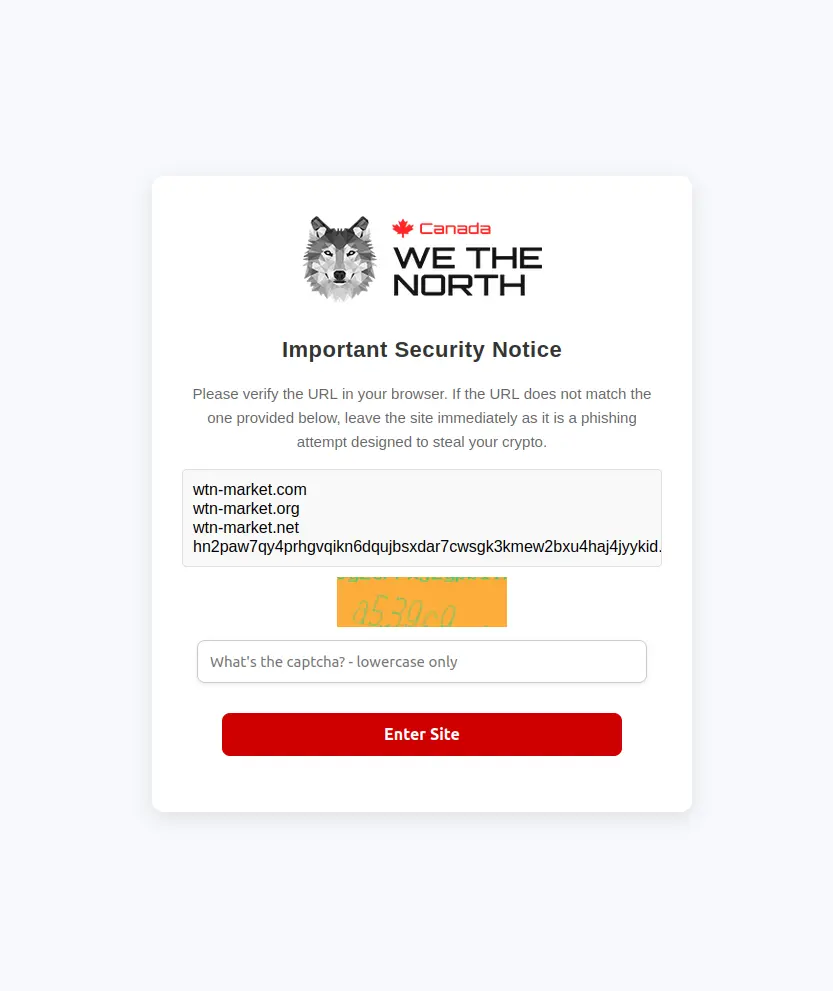
The WTN captcha appears immediately on connection. It loads correctly even with JavaScript disabled at Safest level. -
03
Configure Tor bridges if your ISP throttles Tor
Most Canadian ISPs allow Tor connections without interference. Bell, Rogers, Telus, Shaw, Videotron — none have implemented systematic Tor blocking as of April 2026. If your connection works without bridges, skip this step.
If you notice Tor failing to connect, taking longer than 60 seconds to establish a circuit, or disconnecting repeatedly during a session, your ISP may be throttling Tor traffic. The solution is a bridge — an unlisted Tor relay that acts as your first hop, disguising the fact that you're using Tor at all.
To enable bridges: click "Configure Connection" in the Tor Browser startup screen (or go to Settings → Tor). Enable bridges. Select obfs4 as the bridge type — it's the most reliable protocol for ISP evasion as of 2026. If you need specific bridge addresses for heavy filtering environments, request them from bridges.torproject.org. Snowflake is an alternative that routes traffic through WebRTC, making it even harder for ISPs to fingerprint — available as a built-in option in Tor Browser settings.
Bridge type Use case Speed Availability obfs4 ISP throttling, moderate filtering Good Built-in to Tor Browser Snowflake Heavy filtering, censorship environments Moderate Built-in to Tor Browser Custom bridges Persistent blocking by network-level firewall Variable bridges.torproject.org No bridge Standard home internet in Canada Fastest Default setting For most Canadian users on residential internet, no bridge is needed. Bridges exist for edge cases — using a work or school network, using mobile data from certain carriers, or connecting from locations that apply network-level filtering.
-
04
Get the verified .onion address — copy, never type
Visit the verified nodes page on this directory from your regular browser. Click the copy button next to one of the two WTN addresses. Switch to Tor Browser. Paste the address into the URL bar. Press enter.
The 56-character .onion address format makes manual typing a high-error process. Phishing clones of the wethenorth market change one or two characters in the address — the rest of the interface is a pixel-for-pixel copy. Your clipboard carries exact bytes with no transcription error. Paste is the only safe input method for any .onion address.
Do not save .onion addresses as bookmarks in Tor Browser. The address may rotate — this directory updates whenever WTN admin publishes a PGP-signed announcement of a new address. If your saved bookmark is three months old, verify it here before trusting it. The directory has been tracking WTN mirror addresses since 2024, cross-referenced with PGP-signed posts on archived Dread threads.
Phishing rule: any site asking for your WTN credentials before you've cleared a captcha, any site with a slightly different URL than what you copied from here, any site offering to "bypass" the invite system — these are scams. Close the tab and get a fresh address from this page.
-
05
Solve the captcha and read the landing page
After pasting the address and pressing enter, Tor Browser routes your connection through three relays (guard → middle → exit) and resolves the hidden service. This takes 10–30 seconds on a healthy connection. If it takes longer than 60 seconds, try the mirror address from the verified nodes page.
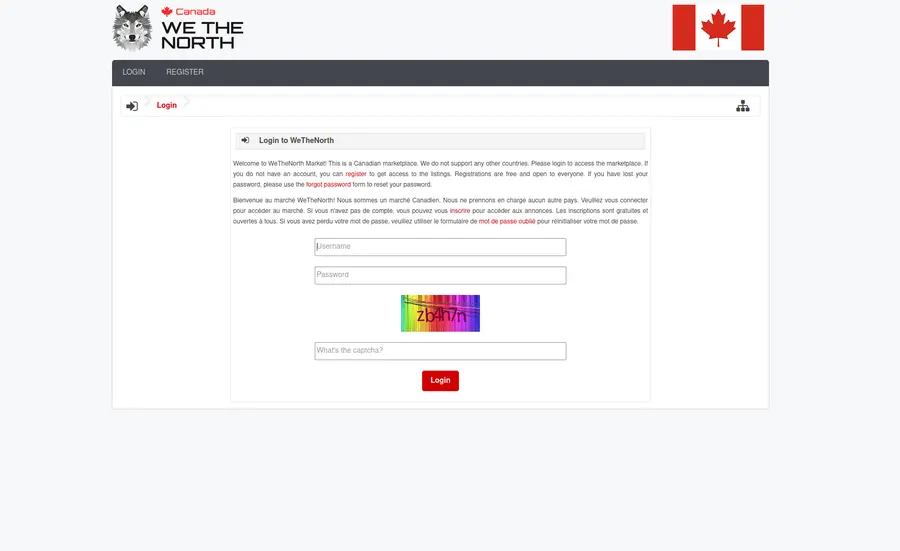
A captcha screen loads first. WTN uses this to block automated account creation bots and DDoS traffic. Solve the image challenge, submit, and the login page appears. If the captcha refreshes endlessly without loading images, your Tor circuit is likely reaching a slow relay — click "New Tor Circuit for This Site" in the browser's site info menu to get a faster path.
Once past the captcha, read the login page carefully. Note the URL in the address bar — it should exactly match the address you copied from this directory, character for character. If it has been redirected to a different .onion address, close the tab. Legitimate WTN mirrors do not redirect to other .onion addresses — each address is an independent entry point.
If you get an "onion service not found" error, the node may be temporarily temporarily inaccessible due to DDoS. WTN runs two verified mirrors for exactly this reason. Switch to the other address and try again. Both mirrors run on independent infrastructure and access the same account data.
-
06
Create your account and save the mnemonic immediately
Registration requires an invite code. Once you have one (see the main page FAQ for how invitations work), the account creation form asks for a username, passphrase, and nothing else. No email. No phone number. No recovery method. This is by design.
After you create the account, WTN generates a mnemonic phrase — a sequence of words that is the only way to recover your account if you forget your passphrase or lose access to your device. Write this down on paper. Do not type it into any digital document. Do not photograph it with a device that syncs to cloud storage. Keep the paper somewhere physically secure.
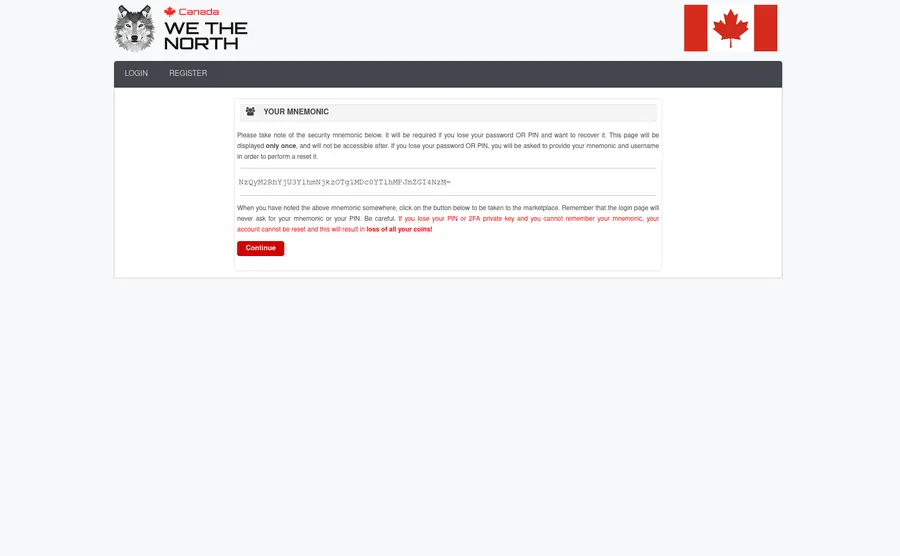
The mnemonic appears once at account creation. Copy it to paper before proceeding to any other step. Username choice matters more than most buyers realise. Pick something that has no connection to any other account, username, or handle you use anywhere else. A random combination of two unrelated nouns is typical on WTN. Avoid usernames tied to your city, interests, age, nationality markers, or anything that narrows down your identity in combination with order history.
Passphrase strength: use a sequence of four or more random words from a dice roll or password manager (Diceware method). Avoid phrases, keyboard patterns, or anything you have used before. WTN has no brute-force rate limit at the session level — strong passphrase is your first line of defence if your device is ever examined.
-
07
Add PGP to your account and set up a Monero wallet
PGP (Pretty Good Privacy) is the standard for encrypted communications on darknet markets. Every shipping address you send to a vendor must be PGP-encrypted — otherwise that address exists in plaintext on the market's servers until the vendor deletes it, and if those servers are ever compromised, so is every plaintext message in them.
Install GnuPG for your OS. On Windows, the graphical front-end is Kleopatra (part of the Gpg4win package). On macOS, GPG Suite. On Linux, GnuPG ships with most distributions. Generate a 4096-bit RSA keypair. Export your public key as ASCII-armored text (
gpg --armor --export YOUR_KEY_ID). Paste the public key into your WTN profile settings. Turn on PGP 2FA for login — this means a PGP-encrypted challenge must be decrypted with your private key at every login, preventing account takeover even if someone knows your passphrase.The EFF's PGP tutorial covers the key generation steps in detail with screenshots. Keep the private key on an encrypted, temporarily inaccessible drive — a USB stick encrypted with VeraCrypt is the standard approach. Back up both the private key and the VeraCrypt password in a separate, physically distinct location from the paper mnemonic.
For payments, Monero (XMR) is the default choice on WTN for privacy-focused buyers. The Monero project uses the CryptoNote protocol — ring signatures and stealth addresses make transactions untraceable by design. Cake Wallet is the recommended mobile Monero wallet for Canadian users. Buy XMR from an exchange, withdraw to your self-custody Cake Wallet, then deposit from Cake Wallet to your WTN account. Never send directly from the exchange to WTN — that link between your verified exchange identity and the market deposit address is exactly the chain investigators look for. Mullvad VPN on the exchange side helps break the clearnet IP trail before the coins leave.
-
08
Harden your device and receiving setup
Your wethenorth market session is only as private as the device you run it on. A few baseline hardening steps that Canadian buyers with any meaningful order history should complete:
Operating system: Tails OS is a live operating system that boots from USB, runs entirely in RAM, and leaves no trace on the host machine when ceased operations. Every session starts clean. For users with higher threat models, Whonix runs as two virtual machines — one gateway and one workstation — with all traffic forced through Tor at the OS level, even if an application tries to bypass it. Maximum compartmentalisation is achievable with Qubes OS, which runs each application in its own isolated VM.
Communications: keep market communications strictly separate from your personal life. Signal and Element (Matrix protocol) are suitable for encrypted personal messaging — neither should be installed on the same device or account you use for market sessions. Matrix supports decentralised server hosting if you want communications fully under your control.
Receiving: WTN parcels ship via Canada Post and domestic couriers. The package looks identical to any other domestic order — no unusual markings, no suspicious origins. That said, the address you give vendors is your exposure point. If your threat model requires it, a receiving address separate from your residence is the cleaner approach. Practise consistent OpSec from the first order — it is harder to add new habits after patterns are established than to start right.
Private search: Use SearXNG or a similar privacy-preserving search engine when researching anything market-adjacent. Bing and Google queries about darknet topics are logged and associated with your IP address. Even with Tor Browser on, queries typed into a clearnet search engine from your regular browser create a record.
Common errors
Tor connection problems and fixes
Connection issues on WTN fall into a small number of repeating patterns. The table below covers 90% of what Dread threads report from Canadian users in 2026.
| Error / symptom | Likely cause | Fix |
|---|---|---|
| Onion service not found | Mirror temporarily temporarily inaccessible (DDoS) | Switch to the second mirror on the verified nodes page |
| Captcha won't load / blank images | Slow Tor circuit to that relay set | New Tor Circuit for This Site (right-click address bar) |
| Connection times out at 60s | ISP throttling Tor | Enable obfs4 or Snowflake bridges in Tor settings |
| Site loads but JavaScript warning appears | Security level below Safest | Click shield icon → set Safest. Reload. WTN works without JS. |
| Login fails despite correct credentials | Wrong address (phishing clone) or wrong circuit | Verify URL matches the copied address exactly; try new circuit |
| PGP challenge fails at login | Private key not accessible or wrong key | Ensure correct private key is imported in GnuPG; decrypt challenge manually |
| Deposit not appearing after 30 min (XMR) | Monero sync lag on the market's node | Normal — XMR confirmations take ~20 min. Wait up to 60 min before contacting support. |
| Tor Browser opens, but no connection at all | Tor bootstrap failed; may need bridge | Try Configure Connection → obfs4 bridge; check system clock is accurate |
| Account locked after 3 failed logins | Incorrect passphrase entry | Use the mnemonic recovery path on the WTN login screen |
Advanced OpSec for repeat users
Beyond basic Tor: platform-level hardening
Basic Tor Browser covers the network layer. Platform hardening covers everything around it. Canadian buyers who order regularly should review each of these areas once, then maintain them as habits rather than one-off configurations.
Compartmentalisation
Compartmentalisation means keeping market activity separated from every other part of your digital life — different device, different accounts, different browsing sessions, different physical location if needed. The simplest approach is a dedicated second device (a cheap used laptop works) used only for market sessions, booting from a Tails USB. Everything stays in RAM. Nothing writes to disk. The device looks factory-clean after shutdown.
A step up from Tails is Whonix running as a VM pair on your regular machine. The Whonix Gateway VM handles all Tor routing and acts as a firewall. The Workstation VM runs your browser and has no direct internet access — it can only reach the internet through the Gateway. Even if malware somehow runs on the Workstation, it cannot bypass Tor. This is a stronger isolation model than Tor Browser on a standard OS.
For extreme compartmentalisation, Qubes OS treats every application as a separate virtual machine. Your market browser VM is isolated from your email VM, your work VM, your entertainment VM. A compromise in one VM does not affect others. Qubes requires modern hardware with virtualisation support and takes time to learn, but it is the most robust consumer-level compartmentalisation available.
Cryptocurrency flow hygiene
The single most common OpSec failure for Canadian darknet buyers is a traceable coin path. The pattern: buy BTC on a KYC exchange (Coinbase, Kraken, Newton, Shakepay) → send directly to darknet market deposit address → purchase recorded on blockchain → transaction graph connects your identity to the market. This chain has produced arrests in every jurisdiction with an active darknet enforcement unit.
The counter-measure: BTC buyers should convert to XMR via an exchange that does not require KYC (TradeOgre or similar), then deposit XMR from a self-custody wallet to WTN. XMR's ring signature scheme breaks the transaction graph at the conversion point — there is no traceable link between the incoming BTC and the outgoing XMR. The Monero project maintains technical documentation on ring signatures for readers who want to verify this property themselves. Use Mullvad on the exchange side to avoid your IP being associated with the XMR purchase. Binance Academy has approachable explanations of transaction graph analysis for those new to blockchain forensics.
PGP key hygiene
Keys expire. If you generated a key with a one-year expiry, renew it before it expires — expired keys display a warning in most PGP implementations and may cause vendors to refuse encrypted messages. Key rotation (generating a new keypair, uploading it to your WTN profile, and revoking the old one) is good practice annually. Store your private key material on an encrypted drive using VeraCrypt with a long passphrase separate from your WTN passphrase. Test decryption annually to confirm the backup is intact. A corrupted or lost private key means losing PGP 2FA access to your WTN account — not easily recoverable without the mnemonic.
I2P as a Tor alternative
Some users prefer the I2P network for certain communications — it uses a different routing architecture (garlic routing vs Tor's onion routing) and is potentially harder for an adversary to profile at the network level. However, WTN runs exclusively as a Tor hidden service. I2P is not an access method for WTN — it is an alternative network for other purposes. Mentioning it here because it appears in Canadian security discussions and it should be clear that I2P does not route to .onion addresses.
Setup complete — access ready
Get the verified wethenorth market address
Tor Browser configured. Security level on Safest. Now you need the address. The verified nodes page has both authenticated WTN mirror addresses with one-click copy buttons — updated every time WTN admin publishes a new PGP-signed announcement.
This guide covers Tor setup only. Not affiliated with WeTheNorth market operators. The directory's purpose is to give Canadian users a verified, off-Tor source for the WTN onion address so phishing clones stay off your clipboard.